Navigating the Electronics Landscape: A Comprehensive Comparison Guide
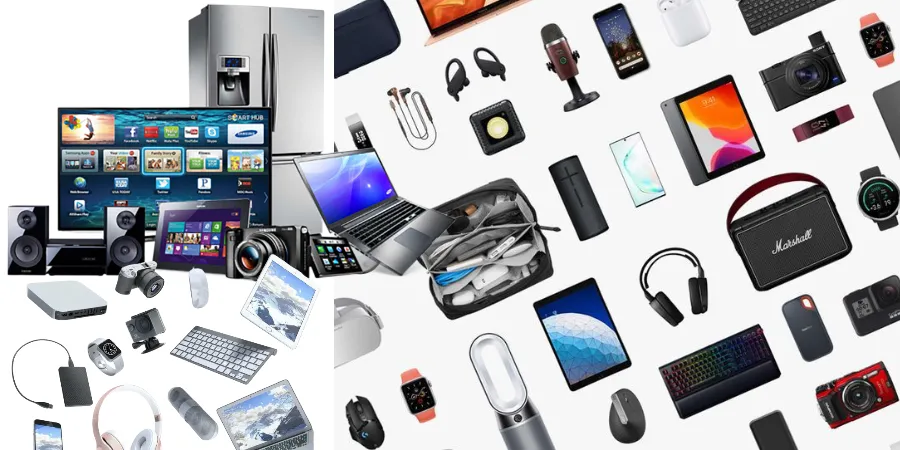
The world of electronics is a vast and ever-evolving universe, offering a dazzling array of devices designed to enhance our lives, streamline our tasks, and entertain us. From the smartphones in our pockets to the smart home systems that manage our living spaces, electronics have become indispensable. However, with so many options available, making informed purchasing decisions can be a daunting task. This comprehensive guide aims to demystify the electronics landscape by comparing popular product categories and offering insights to help you navigate this exciting domain.
Smartphones: The Pocket-Sized Powerhouses
Smartphones have arguably become the most ubiquitous electronic device. They are our primary communication tools, entertainment hubs, productivity aids, and much more. The market is dominated by two major operating systems: iOS and Android, each offering a distinct user experience and ecosystem. Beyond the operating system, key differentiating factors include camera capabilities, processing power, battery life, display technology, and build quality.
iOS vs. Android: The Enduring Debate
The choice between iOS and Android is often the first major decision a consumer makes. Both platforms have their strengths and weaknesses, catering to different user preferences and needs.
| Feature | iOS (Apple) | Android (Google) |
|---|---|---|
| User Interface | Intuitive, streamlined, consistent across devices. | Highly customizable, diverse interfaces depending on manufacturer. |
| App Ecosystem | Strict app store curation, generally high-quality apps. | More open, wider variety of apps, but potential for lower quality control. |
| Hardware Variety | Limited to Apple's iPhone models. | Vast range of manufacturers, price points, and features. |
| Integration | Seamless integration within the Apple ecosystem (Mac, iPad, Apple Watch). | Strong integration with Google services, and increasingly with other smart devices. |
| Updates | Timely and consistent software updates for all supported devices. | Update speed and availability can vary significantly by manufacturer. |
| Customization | Limited customization options. | Extensive customization of themes, launchers, widgets, and more. |
Key Considerations for Smartphone Purchases
- Camera Performance: For photography enthusiasts, look at sensor size, aperture, optical zoom, and computational photography features.
- Processor and RAM: Crucial for multitasking, gaming, and overall speed. Higher numbers generally mean better performance.
- Battery Life: A significant factor for daily use. Consider battery capacity (mAh) and software optimization.
- Display Technology: OLED/AMOLED offers better contrast and deeper blacks than LCD. Refresh rates (e.g., 90Hz, 120Hz) impact smoothness.
- Storage: Internal storage and the availability of expandable storage (microSD card) are important for storing apps, photos, and videos.
- Build Quality and Durability: Materials like glass and metal offer a premium feel, while water and dust resistance ratings (IP ratings) are crucial for longevity.
Laptops: The Versatile Workhorses
Laptops have become essential for work, education, and entertainment. The choice often boils down to operating system (Windows, macOS, ChromeOS), form factor (traditional clamshell, 2-in-1 convertible), and intended use (general productivity, gaming, creative work).
Windows vs. macOS vs. ChromeOS
Each operating system offers a unique experience tailored to different user needs and budgets.
| Feature | Windows | macOS | ChromeOS |
|---|---|---|---|
| Target Audience | Broadest audience, from casual users to professionals and gamers. | Creative professionals, students, and users invested in the Apple ecosystem. | Students, casual users, and those prioritizing cloud-based productivity. |
| Software Availability | Largest selection of software, including specialized professional applications and games. | Excellent for creative software, strong general application support, but fewer gaming options. | Primarily web-based applications and Android apps. Limited traditional desktop software. |
| Hardware Options | Extremely diverse range of manufacturers, price points, and configurations. | Limited to Apple's MacBook lineup. | Wide range of manufacturers, generally more affordable options. |
| User Interface | Familiar and versatile, with ongoing refinements. | Clean, intuitive, and user-friendly. | Simple, web-centric, and easy to learn. |
| Security | Robust security features, but can be more susceptible to malware due to its widespread use. | Generally considered very secure due to its closed ecosystem and robust built-in security. | Strong security through sandboxing and automatic updates. |
| Price Range | Wide spectrum, from budget-friendly to high-end workstations. | Generally positioned in the mid-to-high price range. | Typically the most affordable option. |
Laptop Form Factors to Consider
- Traditional Clamshell: The classic laptop design, offering a balance of portability and screen size.
- 2-in-1 Convertibles: These laptops can transform into tablets, offering greater versatility for note-taking, drawing, or media consumption. They often feature touchscreens and stylus support.
- Ultrabooks: Characterized by their thin and light design, prioritizing portability and battery life.
- Gaming Laptops: Built with powerful processors, dedicated graphics cards, and high refresh rate displays for demanding games. They are often heavier and have shorter battery life.
- Workstations: Designed for demanding professional tasks like video editing, 3D rendering, and CAD. They feature high-end components and robust build quality.
Tablets: The Portable Displays
Tablets offer a middle ground between smartphones and laptops, providing a larger screen for media consumption, browsing, and light productivity. They are particularly popular for their portability and touch-first interface.
iPadOS vs. Android Tablets
The tablet market is largely divided between Apple's iPads and a variety of Android-powered tablets from different manufacturers.
| Feature | iPadOS (Apple) | Android Tablets |
|---|---|---|
| App Optimization | Many apps are specifically optimized for the iPad's larger screen and multitasking capabilities. | App optimization can be inconsistent; some apps are simply scaled-up phone apps. |
| Ecosystem Integration | Excellent integration with other Apple devices and services. | Strong integration with Google services; integration with other smart devices varies by manufacturer. |
| Hardware Variety | Limited to Apple's iPad models (iPad, iPad Air, iPad Pro, iPad Mini). | Wide range of manufacturers, screen sizes, and price points. |
| Stylus Support | Apple Pencil offers a precise and responsive drawing and writing experience. | Stylus support varies; some offer excellent stylus integration, others less so. |
| User Interface | Intuitive and easy to navigate, with features like Stage Manager for improved multitasking. | Can vary depending on the manufacturer's skin, but generally offers flexibility. |
| Price | Generally positioned in the mid-to-high price range. | Available across a broad price spectrum, from budget-friendly to premium. |
When to Choose a Tablet:
- Media Consumption: Watching movies, browsing photos, and reading e-books are excellent on a tablet's larger screen.
- Light Productivity: For tasks like email, web browsing, and basic document editing, a tablet can be sufficient.
- Note-Taking and Drawing: With a stylus, tablets become powerful tools for digital artists and students.
- Portability: Tablets are lighter and more convenient to carry than most laptops.
- Child-Friendly Device: Many tablets offer robust parental controls and a simplified interface for younger users.
Smartwatches: Your Health and Connectivity Companion
Smartwatches have evolved from simple notification devices to sophisticated health trackers and extensions of our smartphones. They offer convenience, fitness monitoring, and quick access to information on the go.
Wear OS (Google) vs. watchOS (Apple)
The smartwatch market is largely dominated by Apple's watchOS and Google's Wear OS, each with its own strengths.
| Feature | watchOS (Apple Watch) | Wear OS (Various Brands) |
|---|---|---|
| Ecosystem Integration | Unparalleled integration with the iPhone and other Apple devices. | Good integration with Android phones; integration with iPhones is limited. |
| App Selection | Vast and well-curated app store specifically for the Apple Watch. | Growing app selection, but still lags behind watchOS in terms of quantity and quality. |
| Health and Fitness Tracking | Comprehensive health features including ECG, blood oxygen monitoring, fall detection, and advanced workout tracking. | Robust health tracking, often leveraging Google Fit and manufacturer-specific apps. Features vary by device. |
| User Interface | Highly polished, intuitive, and easy to navigate with a digital crown. | Can vary by manufacturer, but generally offers a clean and functional interface. |
| Battery Life | Typically requires daily charging. | Battery life varies significantly by manufacturer and model, with some offering multi-day use. |
| Compatibility | Requires an iPhone. | Primarily designed for Android phones, with some limited iPhone compatibility. |
Key Features to Look for in a Smartwatch:
- Health Monitoring: Heart rate, sleep tracking, ECG, blood oxygen saturation, and activity tracking are common and valuable features.
- GPS: Essential for accurate outdoor activity tracking without needing your phone.
- Water Resistance: Important for swimming, showering, and general durability.
- Battery Life: If you prefer not to charge daily, look for models with longer battery life.
- App Ecosystem: Consider the availability of apps that are important to you.
- Build Quality and Design: Choose a watch that fits your style and daily needs.
Audio Devices: Immersive Sound Experiences
From personal listening to home entertainment, audio devices play a crucial role in our digital lives. This category includes headphones, earbuds, and portable speakers.
Wireless Earbuds vs. Over-Ear Headphones
The choice between earbuds and headphones often comes down to portability, comfort, and sound quality preferences.
| Feature | Wireless Earbuds | Over-Ear Headphones |
|---|---|---|
| Portability | Extremely portable, fit in a small charging case. | Less portable, can be bulky to carry. |
| Comfort | Can be comfortable for short to medium durations, but fit can be subjective. | Generally more comfortable for long listening sessions due to earcups distributing pressure. |
| Sound Quality | Can offer excellent sound, but limited by driver size and acoustics. | Often offer superior sound quality due to larger drivers and better acoustic isolation. |
| Noise Cancellation | Active Noise Cancellation (ANC) is common and effective, but can be less potent than on over-ear models. | ANC is often more effective due to better passive isolation and larger ANC technology. |
| Battery Life | Limited by small battery size; relies on charging case for multiple charges. | Generally longer individual listening times per charge. |
| Use Cases | Commuting, exercise, casual listening, calls. | Immersive listening at home, studio work, travel, focus. |
Portable Bluetooth Speakers:
These offer a shared listening experience and are ideal for gatherings, outdoor activities, or simply enjoying music in different rooms. Key factors include sound quality, volume, battery life, water resistance, and connectivity options.
Smart Home Devices: Convenience and Automation
Smart home technology aims to make our lives easier, more efficient, and more secure through connected devices. This includes smart speakers, smart lights, thermostats, security cameras, and more.
Smart Speakers: The Hubs of Your Smart Home
Smart speakers, powered by voice assistants like Amazon Alexa and Google Assistant, are central to many smart home setups. They allow for voice control of other devices, music playback, information retrieval, and more.
| Feature | Amazon Alexa (Echo devices) | Google Assistant (Google Nest devices) |
|---|---|---|
| Voice Assistant Capabilities | Excellent for general knowledge, shopping, and controlling a vast array of smart home devices. | Strong in contextual understanding, search queries, and integration with Google services. |
| Smart Home Compatibility | Vast compatibility with third-party smart home devices. | Excellent compatibility with Google-compatible devices and a growing ecosystem. |
| Sound Quality | Varies by Echo model, with some offering premium audio. | Varies by Nest model, with some offering high-fidelity sound. |
| Ecosystem | Amazon's extensive shopping and entertainment services. | Google's suite of services (Search, Maps, Calendar, Photos). |
| Privacy Concerns | Users have control over microphone settings and data history. | Users have control over microphone settings and data history. |
Other Smart Home Devices:
- Smart Lights: Offer convenience, energy savings, and mood lighting with app or voice control.
- Smart Thermostats: Learn your habits to optimize heating and cooling, saving energy and money.
- Smart Security Cameras: Provide remote monitoring of your home, with features like motion detection and two-way audio.
- Smart Plugs: Turn any ordinary appliance into a smart device, allowing for remote control and scheduling.
Televisions: The Entertainment Centerpiece
Modern televisions offer more than just passive viewing; they are smart hubs for streaming, gaming, and interactive content. Key technologies include LED, QLED, and OLED, each with its own advantages.
LED vs. QLED vs. OLED: Display Technologies Compared
The display technology significantly impacts picture quality, contrast, and color reproduction.
| Feature | LED (LCD) | QLED (Quantum Dot LED) | OLED (Organic Light Emitting Diode) |
|---|---|---|---|
| Backlighting | Uses a backlight to illuminate pixels. Can be edge-lit or full-array local dimming. | Similar to LED but uses quantum dots to enhance color and brightness. | Each pixel emits its own light, no backlight needed. |
| Contrast Ratio | Good, but can struggle with deep blacks due to light bleed. | Improved contrast over standard LED, but still relies on backlighting. | Infinite contrast ratio; perfect blacks as pixels can be turned off individually. |
| Brightness | Can achieve high brightness levels, good for well-lit rooms. | Generally brighter than LED and OLED, making them excellent for HDR content. | Can be less bright than QLED, but still sufficient for most viewing conditions. |
| Color Accuracy | Good, but can be limited by the backlight. | Excellent color volume and accuracy due to quantum dots. | Exceptional color accuracy and vibrancy. |
| Viewing Angles | Can degrade at wider angles. | Generally good viewing angles. | Near-perfect viewing angles with no color or brightness shift. |
| Price | Most affordable option. | Mid-range to high-end pricing. | Typically the most expensive option. |
| Burn-in Risk | Virtually no risk of burn-in. | Virtually no risk of burn-in. | Slight risk of burn-in with static images displayed for extended periods (though modern OLEDs have mitigation technologies). |
Key TV Features to Consider:
- Resolution: 4K (UHD) is standard, with 8K becoming more prevalent.
- HDR (High Dynamic Range): HDR10, HDR10+, and Dolby Vision enhance contrast and color for a more lifelike image.
- Refresh Rate: Higher refresh rates (e.g., 120Hz) are crucial for smooth motion, especially in sports and gaming.
- Smart TV Platform: Consider the user interface and app availability of platforms like Google TV, Roku TV, webOS, or Tizen.
- Connectivity: Ensure sufficient HDMI ports (with appropriate versions like HDMI 2.1 for gaming) and other necessary inputs.
Conclusion: Making the Right Electronics Choice
The world of electronics offers an incredible array of choices, each designed to cater to specific needs and preferences. By understanding the key differences between product categories and the technologies that power them, you can make more informed decisions. Whether you're looking for the latest smartphone, a powerful laptop, an immersive entertainment system, or the convenience of a smart home, this guide has provided a framework for navigating the vast and exciting landscape of modern electronics. Remember to consider your individual needs, budget, and desired user experience to find the perfect electronic companions for your life.