The Ultimate Electronics Buying Guide: Navigating the World of Gadgets and Gizmos
In today's rapidly evolving digital landscape, electronics have become an indispensable part of our lives. From the smartphones in our pockets to the smart home devices that automate our living spaces, the world of electronics offers an unparalleled level of convenience, entertainment, and productivity. However, with the sheer volume and constant innovation within this category, choosing the right electronic products can feel like navigating a complex maze. This comprehensive buying guide is designed to equip you with the knowledge and confidence to make informed decisions, ensuring you get the most value and satisfaction from your electronic purchases.
Understanding the Vast Landscape of Electronics
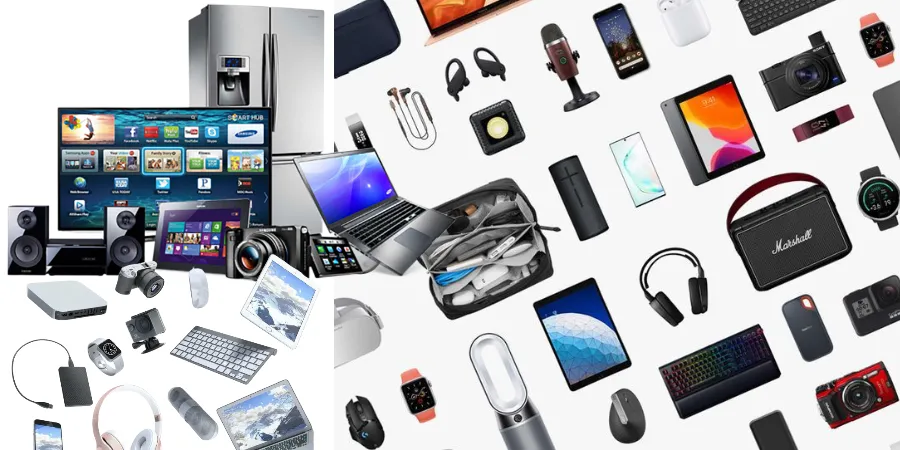
The term "electronics" encompasses a broad spectrum of devices, each serving distinct purposes and catering to different needs. To effectively navigate this category, it's crucial to have a general understanding of its major sub-categories:
Personal Computing Devices
- Laptops: Versatile and portable, laptops are essential for work, study, and entertainment. Key considerations include processing power, RAM, storage, screen size and resolution, battery life, and portability.
- Desktops: Offering more power and customization options than laptops, desktops are ideal for demanding tasks like gaming, video editing, and graphic design.
- Tablets: Bridging the gap between smartphones and laptops, tablets are excellent for media consumption, casual browsing, and light productivity tasks.
- 2-in-1 Devices: These hybrid devices combine the functionality of a laptop and a tablet, offering flexibility for various use cases.
Mobile Devices
- Smartphones: The quintessential personal electronic device, smartphones are used for communication, photography, navigation, entertainment, and much more. Factors to consider include operating system (iOS vs. Android), camera quality, battery life, screen size, processor, and storage.
- Smartwatches & Wearables: These devices offer convenient access to notifications, fitness tracking, and other smart features directly from your wrist.
Home Entertainment Systems
- Televisions: From 4K HDR to OLED and QLED technologies, modern TVs offer stunning visual experiences. Key features to look for include screen size, resolution, refresh rate, smart TV capabilities, and sound quality.
- Sound Systems: Enhance your audio experience with soundbars, home theater systems, and wireless speakers. Consider factors like audio quality, connectivity options, and room size.
- Gaming Consoles: For dedicated gamers, consoles like PlayStation, Xbox, and Nintendo Switch offer immersive gaming experiences with a vast library of titles.
- Streaming Devices: Devices like Roku, Amazon Fire TV Stick, and Apple TV allow you to access a world of on-demand content from various streaming services.
Smart Home Technology
- Smart Speakers & Displays: Voice-activated assistants like Amazon Echo and Google Nest Hub can control other smart devices, play music, answer questions, and more.
- Smart Lighting: Control your home's ambiance with smart bulbs and systems that allow for color changes, dimming, and scheduling.
- Smart Security: Enhance your home's safety with smart doorbells, security cameras, and smart locks.
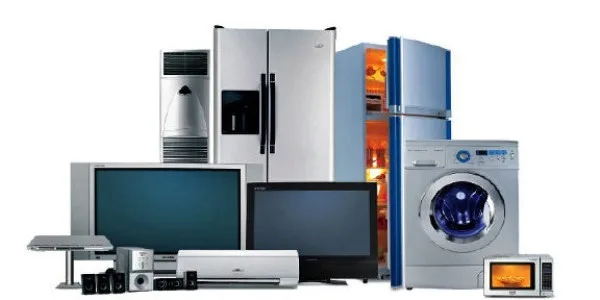
- Smart Appliances: Refrigerators, ovens, and washing machines are increasingly becoming connected, offering remote control and enhanced functionality.
Computer Peripherals and Accessories
- Monitors: Crucial for desktop users, monitors come in various sizes, resolutions, and refresh rates, impacting productivity and visual experience.
- Keyboards & Mice: Ergonomics, responsiveness, and connectivity are key factors when choosing input devices.
- Printers & Scanners: Essential for home offices and students, consider print speed, ink costs, and scanning capabilities.
- External Storage: Hard drives and SSDs provide extra space for your data and backups.
- Webcams: With the rise of remote work and video conferencing, a good webcam is more important than ever.
Key Factors to Consider When Buying Electronics
Regardless of the specific electronic device you're looking to purchase, several universal factors should guide your decision-making process:
1. Your Needs and Usage Patterns
This is the most critical starting point. Before diving into specifications, ask yourself:
- What will I primarily use this device for? (e.g., work, gaming, entertainment, communication, creative tasks)
- How often will I use it?
- Where will I use it? (e.g., at home, on the go, in an office)
- What are my must-have features, and what are nice-to-haves?
For instance, a student needing a laptop for note-taking and research will have different priorities than a graphic designer requiring a powerful workstation for intensive software. Similarly, a casual user looking for a smartphone for calls and social media will not need the same high-end camera as a photography enthusiast.
2. Budget
Electronics can range from budget-friendly options to high-end investments. Determine your budget upfront to narrow down your choices and avoid overspending. Remember to consider the total cost of ownership, including potential accessories, software, and maintenance.
3. Performance Specifications
This is where the technical details come into play. Understanding key specifications will help you compare different models:
- Processor (CPU): The "brain" of the device. Higher clock speeds and more cores generally mean better performance. For general use, mid-range processors are usually sufficient. For demanding tasks, look for high-performance CPUs.
- RAM (Random Access Memory): Affects how many applications you can run simultaneously and how smoothly they operate. More RAM generally leads to better multitasking.
- Storage:
- HDD (Hard Disk Drive): Slower but offers more storage capacity for the price.
- SSD (Solid State Drive): Much faster, leading to quicker boot times and application loading, but typically more expensive per gigabyte.
- Graphics Card (GPU): Crucial for gaming, video editing, and other graphically intensive tasks. Integrated graphics are suitable for basic use, while dedicated GPUs are necessary for high-end performance.
- Display:
- Resolution: (e.g., HD, Full HD, 4K) Higher resolution means sharper images.
- Refresh Rate: (e.g., 60Hz, 120Hz) Higher refresh rates provide smoother motion, especially noticeable in gaming and fast-paced video.
- Panel Type: (e.g., IPS, OLED, QLED) Affects color accuracy, contrast, and viewing angles.
- Battery Life: Essential for portable devices. Look for devices that meet or exceed your expected usage duration.
4. Connectivity and Ports
Ensure the device has the necessary ports and connectivity options for your peripherals and network access:
- USB Ports: (Type-A, Type-C) For connecting external devices.
- HDMI/DisplayPort: For connecting to external monitors or TVs.
- Wi-Fi Standards: (e.g., Wi-Fi 5, Wi-Fi 6) Newer standards offer faster speeds and better performance.
- Bluetooth: For wireless connections to headphones, speakers, and other accessories.
- Ethernet Port: For a stable wired internet connection.
5. Operating System (OS)
The OS dictates the user interface, available software, and overall ecosystem of a device. Common operating systems include:
- Windows: The most widely used desktop OS, offering broad software compatibility.
- macOS: Known for its user-friendly interface and strong integration with Apple's ecosystem.
- ChromeOS: Lightweight and cloud-centric, ideal for web-based tasks.
- Android: The dominant mobile OS, offering vast customization and app availability.
- iOS: Apple's mobile OS, known for its simplicity and robust app store.
Your familiarity and preference for a particular OS can significantly influence your purchasing decision.
6. Brand Reputation and Reviews
While avoiding specific brand endorsements, consider the general reputation of manufacturers for reliability, customer support, and innovation. Reading user reviews and professional tech critiques can provide valuable insights into the real-world performance and potential drawbacks of a product.
7. Durability and Build Quality
For portable devices, in particular, the materials used and the overall construction quality are important for longevity. A device that feels solid and well-built is likely to withstand daily use better.
8. Future-Proofing
Consider how long you expect the device to remain relevant and functional. Newer technologies and higher specifications might offer better longevity, even if they come at a higher initial cost. For example, investing in a device with more RAM or a faster processor can extend its usability.
Tips for Buying Specific Electronics Categories
While the general principles apply across the board, each electronics category has its unique considerations:
Buying a Laptop:
- For Students: Prioritize portability, battery life, and a comfortable keyboard. A mid-range processor and 8GB RAM are usually sufficient.
- For Professionals: Focus on processing power, RAM, storage speed (SSD), and display quality for productivity tasks.
- For Gamers: A powerful dedicated graphics card, a high refresh rate display, and an efficient cooling system are paramount.
- For Creatives (Video Editors, Designers): High-end processors, ample RAM, fast SSD storage, and color-accurate displays are essential.
Buying a Smartphone:
- Camera Enthusiasts: Look for phones with advanced camera sensors, multiple lenses (wide, ultrawide, telephoto), and sophisticated image processing.
- Power Users: Prioritize battery life, fast charging capabilities, and a powerful processor for demanding apps and multitasking.
- Budget-Conscious Buyers: Focus on essential features like a good display, reliable performance for everyday tasks, and decent battery life.
Buying a Television:
- Screen Size: Measure your viewing distance and choose a size that provides an immersive experience without being overwhelming.
- Resolution: 4K (UHD) is the standard for a sharp, detailed picture.
- Panel Technology: OLED offers superior contrast and black levels, while QLED provides excellent brightness and color volume.
- Smart TV Features: Ensure the TV supports your preferred streaming apps and has an intuitive interface.
Buying Smart Home Devices:
- Ecosystem Compatibility: If you already have smart devices from a particular ecosystem (e.g., Amazon Alexa, Google Assistant), consider devices that are compatible with it for seamless integration.
- Privacy and Security: Research the manufacturer's privacy policies and security features, especially for devices like cameras and smart locks.
- Ease of Setup: Look for devices that offer straightforward installation and user-friendly companion apps.
Navigating the Purchase Process
Once you've identified your ideal product, the buying process itself requires a strategic approach:
1. Research and Compare Prices
Utilize online price comparison tools and check multiple retailers to find the best deals. Be aware of seasonal sales events like Black Friday, Cyber Monday, and holiday promotions.
2. Read Reviews Critically
Look for reviews from reputable tech publications and genuine user feedback. Pay attention to recurring pros and cons. Be wary of overly positive or negative reviews that lack detail.
3. Consider Refurbished or Open-Box Options
For significant savings, consider purchasing certified refurbished or open-box items from reputable sellers. These products are typically tested and come with a warranty.
4. Understand Warranty and Return Policies
Familiarize yourself with the manufacturer's warranty and the retailer's return policy. This is crucial for peace of mind in case of defects or dissatisfaction.
5. Look for Bundles and Promotions
Sometimes, retailers offer bundles that include accessories or discounts when purchasing multiple items. Keep an eye out for these opportunities.
The Future of Electronics and What to Expect
The electronics industry is in a constant state of flux, with innovation driving new possibilities. Here are some emerging trends to keep an eye on:
- Artificial Intelligence (AI) Integration: AI is becoming increasingly embedded in devices, from enhancing camera performance on smartphones to optimizing energy consumption in smart homes.
- Sustainability: Manufacturers are focusing more on eco-friendly materials, energy efficiency, and longer product lifecycles.
- 5G Connectivity: The rollout of 5G networks promises faster speeds and lower latency, enabling new applications and enhancing existing ones.
- Augmented Reality (AR) and Virtual Reality (VR): While still developing, AR and VR technologies are poised to transform entertainment, education, and even work.
- Miniaturization and Power Efficiency: Devices continue to shrink in size while becoming more powerful and energy-efficient.
Conclusion
Purchasing electronics can be an exciting but sometimes daunting experience. By understanding the diverse landscape of available products, carefully considering your individual needs and budget, and paying attention to key specifications and performance metrics, you can confidently navigate the world of gadgets and gizmos. This comprehensive guide provides a roadmap to help you make informed decisions, ensuring you invest in electronic products that enhance your life and meet your expectations for years to come. Happy shopping!