Navigating the Electronics Landscape: A Comprehensive Comparison Guide
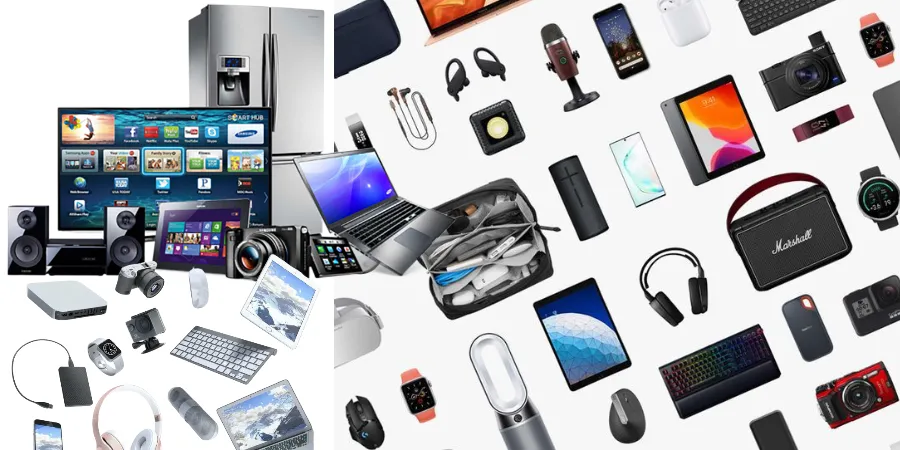
The world of electronics is a vast and ever-evolving universe, offering a dazzling array of devices designed to enhance our lives, streamline our tasks, and entertain us. From the latest smartphones and powerful laptops to smart home devices and cutting-edge audio equipment, the choices can be overwhelming. This comprehensive guide aims to demystify the electronics landscape by providing in-depth comparisons of popular product categories and key considerations, empowering you to make informed purchasing decisions.
Smartphones: Your Pocket-Sized Powerhouses
Smartphones have become indispensable tools, serving as our primary communication devices, entertainment hubs, cameras, and even portable offices. The market is dominated by two major operating systems, each with its own ecosystem and user experience. Understanding the fundamental differences between these platforms is crucial.
iOS vs. Android: The Great Divide
The choice between an iOS device (Apple iPhone) and an Android device is often the first major decision a consumer faces. While both offer robust functionality, their philosophies and approaches differ significantly.
| Feature | iOS (Apple iPhone) | Android (Various Manufacturers) |
|---|---|---|
| Operating System | Closed ecosystem, highly optimized for Apple hardware. Known for its user-friendliness and intuitive interface. | Open-source, highly customizable. Offers a wider range of hardware options and price points. |
| App Store | App Store: Rigorous review process, generally high-quality apps. Often gets new apps and updates first. | Google Play Store: More open, wider variety of apps, but quality can be more variable. |
| Hardware Options | Limited to Apple's iPhone models. Consistent design and build quality. | Vast range of manufacturers (Samsung, Google, OnePlus, etc.) offering diverse designs, features, and price points. |
| Customization | Limited customization options. Focus on a consistent user experience. | Highly customizable. Users can change launchers, icon packs, widgets, and more. |
| Ecosystem Integration | Seamless integration with other Apple devices (iPad, Mac, Apple Watch). | Good integration with Google services and other Android devices. |
| Price Range | Generally positioned in the premium segment. | Wide range, from budget-friendly to high-end flagships. |
Key Considerations for Smartphones:
- Camera Quality: For photography enthusiasts, compare sensor sizes, aperture, optical zoom capabilities, and computational photography features.
- Battery Life: Look at battery capacity (mAh) and real-world usage reviews.
- Performance: Processor speed, RAM, and graphics processing unit (GPU) determine how smoothly apps and games run.
- Display: Screen size, resolution (HD, FHD, QHD), refresh rate (60Hz, 90Hz, 120Hz), and display technology (OLED, AMOLED, LCD) impact visual experience.
- Storage: Consider internal storage capacity and whether expandable storage (microSD card) is available.
- Durability and Water Resistance: Look for IP ratings for dust and water resistance.
Laptops: Your Portable Productivity Partners
Laptops have become essential for work, study, and entertainment, offering a balance of portability and power. The choice often boils down to operating system, intended use, and form factor.
Windows vs. macOS vs. ChromeOS: A Tale of Three Operating Systems
Each operating system caters to different needs and preferences. Understanding their strengths and weaknesses is paramount to selecting the right laptop.
| Feature | Windows Laptops | macOS Laptops (Apple MacBook) | ChromeOS Laptops (Chromebooks) |
|---|---|---|---|
| Operating System | Most versatile and widely used. Supports a vast range of software and hardware. | Exclusive to Apple hardware. Known for its stability, security, and user-friendly interface. | Lightweight, cloud-based OS. Primarily runs web apps and Android apps. |
| Software Compatibility | Highest compatibility with a broad spectrum of professional software, games, and legacy applications. | Excellent for creative professionals (video editing, graphic design), but may have fewer gaming options than Windows. | Best for web browsing, document editing, and light productivity. Limited desktop software support. |
| Hardware Variety & Price | Extensive range of manufacturers, configurations, and price points, from budget to high-end workstations. | Limited to Apple's MacBook Air and MacBook Pro lines, generally in the premium price range. | Wide variety of manufacturers and price points, often very affordable. |
| Performance & Power | Can range from basic to extremely powerful, catering to demanding tasks like gaming and video editing. | Highly optimized for Apple's hardware, offering excellent performance and battery life for their class. | Generally less powerful, optimized for efficiency and web-based tasks. |
| Build Quality & Design | Varies greatly by manufacturer, from plastic to premium metal builds. | Consistently high-quality, premium aluminum unibody construction. | Often features plastic construction, but some premium models offer metal builds. |
| Target Audience | General users, gamers, professionals requiring specific software, businesses. | Creative professionals, students, users invested in the Apple ecosystem. | Students, educators, users primarily working online, those seeking simplicity and affordability. |
Key Considerations for Laptops:
- Processor (CPU): Intel Core (i3, i5, i7, i9) or AMD Ryzen (3, 5, 7, 9) series, with higher numbers indicating better performance. Apple's M-series chips are also highly regarded.
- RAM (Memory): 8GB is a good starting point for general use, 16GB is recommended for multitasking and more demanding applications, and 32GB+ for professional workflows.
- Storage (SSD vs. HDD): Solid State Drives (SSDs) are significantly faster than Hard Disk Drives (HDDs) and are highly recommended for operating system and application storage.
- Display Size and Resolution: Common sizes range from 13-inch to 17-inch. Resolution impacts sharpness (Full HD, 4K).
- Graphics Card (GPU): Integrated graphics are sufficient for basic tasks, while dedicated graphics cards (NVIDIA GeForce, AMD Radeon) are essential for gaming and intensive visual work.
- Battery Life: Crucial for portability. Look for manufacturer claims and independent reviews.
- Ports: Consider the types and number of ports needed (USB-A, USB-C/Thunderbolt, HDMI, SD card reader).
Smart Home Devices: Automating Your Living Space
The smart home ecosystem is rapidly expanding, offering devices that can automate lighting, temperature, security, entertainment, and more. These devices often integrate with voice assistants and can be controlled remotely.
Smart Speakers vs. Smart Displays: Voice First vs. Visual Interaction
Smart speakers and smart displays are the gateways to many smart home experiences. The primary distinction lies in their display capabilities.
| Feature | Smart Speakers (e.g., Amazon Echo Dot, Google Nest Mini) | Smart Displays (e.g., Amazon Echo Show, Google Nest Hub) |
|---|---|---|
| Primary Function | Voice-controlled assistant for playing music, answering questions, controlling smart home devices, setting timers, etc. | Combines voice control with a visual interface for displaying information, video calls, recipes, photos, and controlling smart home devices with a tap. |
| Display | No screen. Relies solely on audio feedback. | Integrated touchscreen display. |
| Audio Quality | Varies by model, generally focused on voice clarity and casual music listening. Some larger models offer better sound. | Audio quality varies, often good for casual listening, but the display is the primary focus. |
| Visual Information | Limited to audio responses. | Can display weather forecasts, news headlines, recipes, calendars, photos, and video content. |
| Smart Home Control | Excellent for voice commands to control compatible devices. | Offers both voice control and a visual dashboard for easier device management. |
| Use Cases | Kitchen counter for timers and recipes, bedside for alarms, living room for music. | Kitchen for recipes and video tutorials, living room for family photos and control center, entryway for quick information. |
| Price Range | Generally more affordable. | Typically more expensive due to the added display component. |
Other Popular Smart Home Categories:
- Smart Lighting: Philips Hue, LIFX, Wyze offer bulbs and fixtures that can be controlled via app or voice, allowing for color changes, dimming, and scheduling.
- Smart Thermostats: Nest, Ecobee learn your habits and optimize heating/cooling for energy savings and comfort.
- Smart Security Cameras & Doorbells: Ring, Arlo, Google Nest Cam provide remote monitoring, motion detection, and two-way audio.
- Smart Plugs: Transform any "dumb" appliance into a smart one by allowing remote on/off control.
Key Considerations for Smart Home Devices:
- Compatibility: Ensure devices work with your chosen voice assistant (Amazon Alexa, Google Assistant) and other smart home hubs. Look for Matter compatibility for future-proofing.
- Connectivity: Most devices use Wi-Fi, but some may utilize Bluetooth or Zigbee/Z-Wave, potentially requiring a separate hub.
- Privacy & Security: Understand the data collection policies of manufacturers and use strong passwords.
- Ease of Setup: Most modern devices offer straightforward app-based setup.
Audio Equipment: Immersive Sound Experiences
Whether for enjoying music, movies, or gaming, high-quality audio can significantly enhance your experience. The market offers a wide range of headphones, speakers, and soundbars.
Wireless Earbuds vs. Over-Ear Headphones: Portability vs. Immersion
This comparison focuses on personal listening devices, each offering distinct advantages.
| Feature | True Wireless Earbuds (e.g., Apple AirPods Pro, Samsung Galaxy Buds Pro, Sony WF-1000XM series) | Over-Ear Headphones (e.g., Sony WH-1000XM series, Bose QuietComfort series, Sennheiser Momentum series) |
|---|---|---|
| Portability | Extremely portable, compact charging case fits easily in a pocket. | Less portable, larger and bulkier, often come with a carrying case. |
| Comfort | Designed to fit snugly in the ear canal, can be comfortable for extended periods for many users, but fit can be subjective. | Cups cover the entire ear, providing a comfortable seal and reducing ambient noise. Generally more comfortable for very long listening sessions. |
| Sound Quality | Can offer excellent sound quality, with advancements in driver technology and codecs. However, the small form factor can sometimes limit bass response or overall fidelity compared to larger headphones. | Generally offer superior sound quality due to larger drivers, better acoustics, and more space for advanced audio components. Often excel in bass depth and soundstage. |
| Noise Cancellation | Many models offer Active Noise Cancellation (ANC), which is effective for their size, but generally not as powerful as in over-ear counterparts. | Industry-leading ANC is a hallmark of many premium over-ear models, providing exceptional isolation from ambient noise. |
| Battery Life | Individual earbud battery life is typically 4-8 hours, with charging cases providing multiple recharges (totaling 20-30+ hours). | Individual headphone battery life is typically 20-40+ hours on a single charge, often with quick charging capabilities. |
| Use Cases | Commuting, exercise, on-the-go listening, casual use. | Travel, focused listening, work environments, audiophile experiences, immersive gaming. |
| Price Range | Wide range, from budget-friendly to premium. | Generally more expensive, especially for models with advanced features like ANC. |
Other Audio Considerations:
- Bluetooth Version: Newer versions (e.g., Bluetooth 5.0, 5.2) offer better range, stability, and power efficiency.
- Codecs: For wireless audio, codecs like aptX HD, LDAC, and AAC offer higher fidelity than standard SBC.
- Soundbars: A great option for enhancing TV audio, offering a significant upgrade over built-in TV speakers without the complexity of a full surround sound system.
- Home Speaker Systems: From portable Bluetooth speakers to multi-room audio setups, these are ideal for shared listening experiences.
The Future of Electronics: Trends to Watch
The electronics industry is in constant flux, driven by innovation and evolving consumer demands. Several key trends are shaping the future of the devices we use:
- Artificial Intelligence (AI) and Machine Learning (ML): AI is being integrated into everything from smartphones to home appliances, enabling more personalized experiences, predictive capabilities, and automation.
- 5G Connectivity: The rollout of 5G networks promises faster speeds, lower latency, and the ability to connect more devices simultaneously, paving the way for advancements in IoT and immersive technologies.
- Augmented Reality (AR) and Virtual Reality (VR): While still in their nascent stages for widespread consumer adoption, AR and VR are poised to revolutionize gaming, education, and even work environments.
- Sustainability and Eco-Friendly Design: With growing environmental awareness, manufacturers are increasingly focusing on energy efficiency, recycled materials, and repairability in their product designs.
- Foldable and Flexible Displays: The technology for foldable smartphones and other flexible screen devices is maturing, offering new form factors and possibilities for interaction.
- The Internet of Things (IoT): The interconnectedness of everyday devices will continue to expand, creating more seamless and automated living and working spaces.
By understanding the current landscape and anticipating future trends, you can make more strategic and future-proof electronics purchases. This guide has provided a framework for comparing popular categories. Remember to always research specific models, read reviews, and consider your personal needs and budget before making a final decision.